

Table of Contents
- Why Tracking Multiple Online Orders Gets Messy
- Gathering Every Tracking Number Across Your Orders
- Choosing a Method: Manual, Parcel Tracking App or Spreadsheet
- Building an Order Tracking Spreadsheet That Stays Useful
- Tracking a Parcel Without a Tracking Number
- Fixing Parcel Tracking That Is Not Updating
- Staying Safe When Connecting Your Email and Handling Returns
- Setting Up Your Own Tracking Routine This Week
- Frequently Asked Questions
Last Updated: November 10, 2026
Why Tracking Multiple Online Orders Gets Messy
Each one arrives with its own confirmation email, its own carrier and its own delivery window. Without a system, how to track multiple online orders becomes a daily hunt through your inbox.
Most people run into the same problems:
- Confirmation emails get buried under newsletters and promotions
- Orders ship from different sellers, so there is no single status page
- A parcel arrives days earlier or later than expected with no warning
- A tracking link breaks once the carrier changes hands
The fix is not complicated. You need one place where every order, tracking number and expected delivery date lives. Once that place exists, checking your deliveries takes minutes instead of half an hour.
Gathering Every Tracking Number Across Your Orders
Start by collecting every tracking number you have been sent. Search your inbox for terms like "shipped," "dispatched," "tracking" and "out for delivery." Check your order history on each store's website too, because some sellers only show tracking inside their account.
Copy each number into a single list as you go. Write down three details beside it:
- The store or seller name
- The order date
- The carrier, if the email names one
Some numbers will be missing. If a seller has not sent tracking yet, note the order and check back in a day or two. A shipment that has not moved for several days is worth a quick message to the seller.
Choosing a Method: Manual, Parcel Tracking App or Spreadsheet
There are three common ways to track several orders at once, and each suits a different level of buying.
| Method | Best for | Main drawback |
|---|---|---|
| Manual notes | One or two orders a month | Easy to forget and hard to update |
| Parcel tracking app | Frequent buyers across several stores | Needs an account and some setup |
| Spreadsheet | Anyone who wants full control | Requires manual updates |
Manual notes work if you only order occasionally. A notes app with one line per order is enough.
A parcel tracking app pulls in carrier updates for you, so you see status changes without opening each carrier site. Check the app's privacy settings before you sign up, and only give it the access it needs.
A spreadsheet gives you the most control. You decide the columns, the colours and the sort order. It suits people who like to see everything on one screen.
Pick the method you will actually keep up with. A simple list you check every day beats a perfect system you abandon after a week.
Building an Order Tracking Spreadsheet That Stays Useful
A good order tracking spreadsheet needs only a few columns. Keep it short so you will fill it in consistently. Here is a simple layout:
| Column | What to enter |
|---|---|
| Order date | Date you placed the order |
| Store | Seller or website name |
| Item | Short product description |
| Tracking number | Carrier tracking code |
| Carrier | Name of the delivery company |
| Expected delivery | Date given by the seller or carrier |
| Status | Ordered, shipped, out for delivery or delivered |
| Notes | Anything unusual, such as a missing scan |
Sort by expected delivery so the parcels arriving soonest sit at the top. Use a simple colour rule for the status column, such as green for delivered and yellow for shipped. This takes seconds to set up and makes the sheet easy to scan.
Update the status each time you check, and clear out delivered orders once a month. A short, current list is far more useful than a long one full of old entries.
Tracking a Parcel Without a Tracking Number
Some orders arrive with no tracking number, or the number never appears in your inbox. This is common with marketplace sellers and small shops.
Try these steps in order:
- Log in to the store account and check the order page for a shipping update
- Look for a "track my order" link on the seller's website
- Search your inbox for the seller's name plus "shipping" or "postage"
- Message the seller and ask for the tracking number and carrier name
If the seller cannot give you a number, ask for the estimated dispatch date and the postal method used. Keep the order confirmation in case you need it for a claim later.
Fixing Parcel Tracking That Is Not Updating
A tracking page that has not changed for days is the most common reason people give up on a consolidated tracker. In most cases the parcel is fine and the data is simply lagging. Work through the checks below in order, because each one rules out a different cause.
1. Confirm the number and the carrier together. A tracking number is only meaningful on the carrier that issued it. The same string of digits can return "not found" on the wrong site and a full history on the right one.
2. Understand what "pre-shipment" and "label created" mean. Many sellers generate a tracking number when they print the label, hours or days before the parcel is handed to the carrier. Until the first physical scan happens, the number exists but shows no movement.
3. Allow for batch scanning. Smaller carriers and some regional networks scan parcels in batches at sorting centres rather than at every handover. A parcel can sit unscanned for 24 to 48 hours while it moves between facilities, then show several scans at once.
4. Check for a split shipment. If an order contained several items, the seller may have dispatched them separately with different tracking numbers. The number you are watching may cover only part of the order, while the rest travels under a second number you have not collected.
5. Look for a carrier handover. Parcels often pass from a retailer's logistics partner to a last-mile carrier. During the handover the original tracking page may stop updating while a new number and a new carrier take over.
6. Escalate with specifics. If nothing has moved for five or more business days, contact the seller rather than the carrier. Give them the order number, the tracking number, the carrier, the order date and the date of the last scan.
Watch out: a tracking status of "delivered" when nothing has arrived is a different problem from a stalled scan.
Keep a short note in your tracker for each stalled parcel: the date you last saw movement, the date you contacted the seller, and their reply. That single line turns a vague worry into a documented claim if the parcel never turns up.
Staying Safe When Connecting Your Email and Handling Returns
Email-based order discovery is the feature that makes many tracking apps convenient, and it is also the feature that deserves the most scrutiny. When an app asks to connect your mailbox, read the permission screen carefully. Some apps request read-only access to message headers and subjects so they can spot order confirmations; others request full read access to message bodies, attachments and sometimes the ability to send on your behalf. The first is a narrow permission; the second gives a third party a view of everything in your inbox, including bank statements, medical appointments and personal correspondence.
A few practical safeguards apply to any app you connect:
- Prefer read-only, scoped access where the provider offers it, and decline send or delete permissions unless you specifically need them.
- Use an app-specific password or an authorisation token if your email provider supports it, rather than handing over your main account password.
- Disconnect the integration once you have finished a busy shopping period, and review connected apps every few months.
- Consider forwarding instead of connecting. Many providers let you set up a rule that forwards only messages containing words like "order confirmation", "dispatch" or "tracking" to a separate folder or address. You keep the app away from your main inbox entirely, and you can turn the rule off in seconds.
Watch out: a tracking app that asks for your email password directly, rather than sending you to your provider's own sign-in screen, is asking you to hand over credentials it should never need. Close the setup and look for an app that uses the provider's standard authorisation flow.
Returns and delivery exceptions are the other half of order management, and they are where a tracker earns its keep. Record the reason for each return next to the order: damaged, wrong item, late, or changed mind. Keep the original tracking number and take photos of the parcel and its packaging before you send anything back, because most sellers ask for them and carriers may require them for a damage claim. Note the return carrier and the return tracking number in the same row as the original order so the two are not separated.
For delivery exceptions such as a failed delivery attempt, a parcel held at a depot, or an address the carrier could not find, act on the notification the same day. Most carriers hold parcels for a fixed window, often around five to ten business days, before returning them to the sender, and redelivery or collection usually needs to be arranged through the carrier's own portal using the tracking number. If the parcel is being returned to the sender, contact the seller promptly to ask about a resend or refund before the return is processed.
A tracker that holds the order, the return and the exception in one row gives you a complete record. That record is what you need when a refund is delayed, a replacement is disputed, or a carrier asks for proof of what was sent.
Setting Up Your Own Tracking Routine This Week
Set aside 20 minutes this week to build your system. Use the steps below to get started:
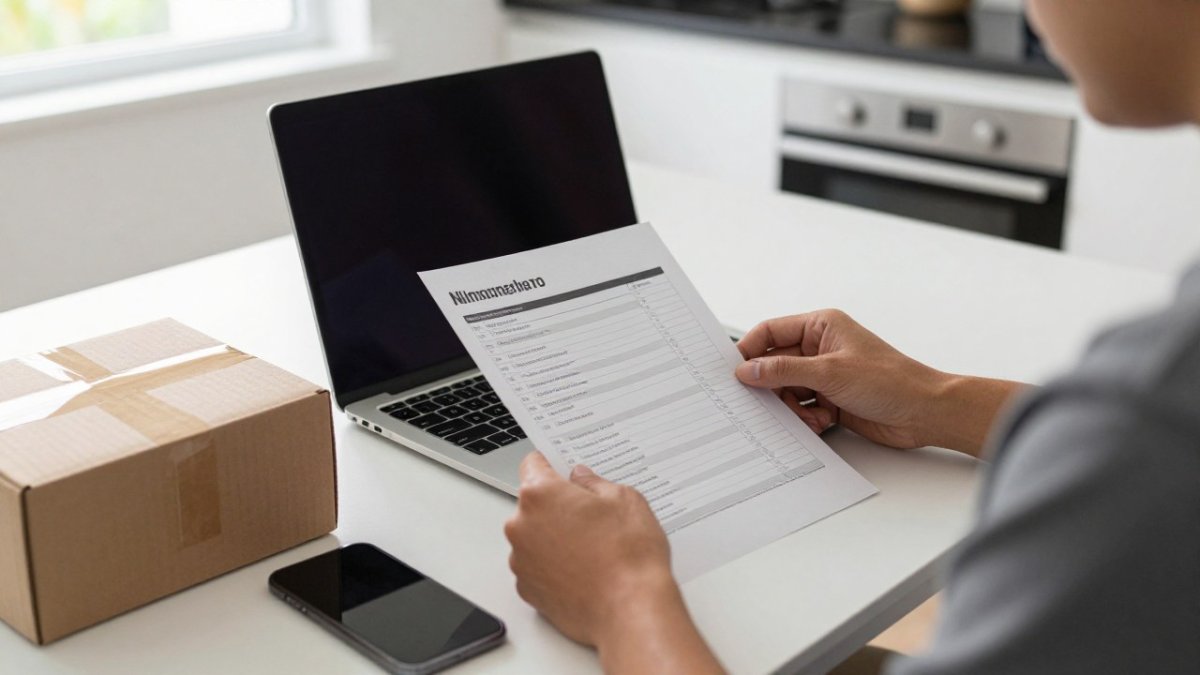
- Gather every open tracking number from your inbox and order pages
- Choose the method you will use: notes, an app or a spreadsheet
- Set up your columns, or the app's account, and enter each open order
- Pick one fixed time to check status, such as Monday and Thursday evenings
- Clear delivered orders once a month to keep the list short
A routine you repeat each week keeps every parcel visible. Our shoppers at Ozzie Direct find that a short weekly check prevents most delivery surprises. For larger orders, our order tracking features show what you can follow once a purchase ships.
Watch out: Never share your full email password with a tracking app. Use a limited authorisation where available.
BUTTON: Track Your Orders Now CARD_TITLE: Tired of chasing parcels across stores? CARD_TEXT: Ozzie Direct helps you shop across home, fashion and electronics with delivery you can follow.
Frequently Asked Questions
How can I track multiple online orders at once?
The simplest approach is to gather every order confirmation and tracking number in one place, either in a notes file, a spreadsheet or a dedicated tracking app. Record the retailer, order number, carrier and tracking number for each parcel, then check each carrier's website or app on a set schedule. Grouping orders by expected delivery date makes it easier to see what is arriving this week and what needs follow-up. Once the list is in one place, you only need to check one source rather than searching old inboxes.
Can I track an order without a tracking number?
Often you can. Log into the retailer's account on their website or app, where order history usually shows the status and, once dispatched, the carrier and tracking number. If you cannot log in, check the original order confirmation email for a tracking link. If there is still no tracking information, contact the retailer's customer service with your order number and the date you placed the order.
Why is my parcel tracking information not updating?
Tracking often pauses when a parcel is in transit between depots, when a carrier has not yet scanned it at a new location, or when the retailer has only sent a label without handing the parcel over. Wait one to two business days before assuming a problem, since scans can be delayed over weekends and public holidays. If nothing changes after that, check the tracking number for typos, contact the carrier directly and ask the retailer to confirm dispatch. Keep the order details ready, as the carrier will need them to investigate.
Is there an app that tracks parcels from different retailers?
Yes, several parcel tracking apps let you add tracking numbers from multiple carriers and see them in one list. Before installing one, check what permissions it asks for, whether it connects to your email, and how it handles your data. Connecting an email account can find orders automatically but gives the app access to sensitive messages, so only do this with a provider you trust and review its privacy policy. Manual entry is a safer alternative if you prefer not to share email access.


